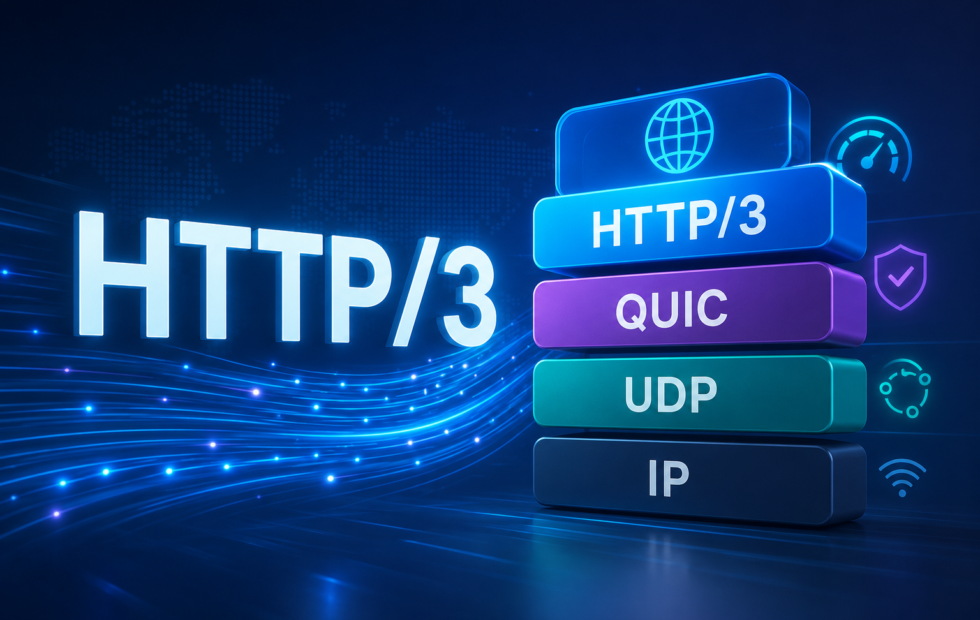
HTTP/3 is the latest version of Hypertext Transfer Protocol (HTTP), the rules browsers and web servers use to request and send web pages. HTTP/1.1 and HTTP/2 carry that data over the Transmission Control Protocol (TCP). HTTP/3 uses QUIC, which runs over the User Datagram Protocol (UDP) and keeps one lost packet from delaying every file on the connection.
That can make pages load more smoothly on mobile data, crowded Wi-Fi, and long-distance connections. On stable, nearby networks, the difference from HTTP/2 is usually too small to notice. Either way, you don’t need to enable it because browsers use it automatically when a site supports it.
How HTTP/3 works
A browser rarely loads a page as one file. It sends separate requests for the HTML, then the images, fonts, scripts, and stylesheets that page needs. HTTP defines the format of those requests and the responses that come back, and that format is the same across every version. What changes in HTTP/3 is the connection carrying those requests, which replaces TCP with QUIC.
Packet loss and head-of-line blocking
TCP delivers data in the order it was sent and confirms that each piece arrived. When a piece goes missing, TCP holds back everything that came after it until the missing piece is resent and received. HTTP/2 lets a browser request many resources over a single TCP connection at once, using separate streams, but TCP still treats the whole connection as one ordered sequence of bytes.
It doesn’t know the streams belong to separate resources, so when one packet is lost, every stream sharing that connection can stall. This is called head-of-line blocking.
HTTP/3 avoids this because QUIC tracks each stream separately instead of treating the connection as one combined flow. When a packet belonging to one stream goes missing, QUIC resends just that piece while the other streams keep delivering data in the meantime.
Heavy packet loss can still slow the whole connection down, since QUIC reduces its sending rate to ease congestion, but a single lost packet no longer stalls resources that had nothing to do with it.
Faster connection setup
Before a browser can send a request over HTTPS on TCP, it completes two separate steps: a TCP handshake to open the connection, then a Transport Layer Security (TLS) handshake to verify the server and encrypt the session. Each step needs data to travel between browser and server, so the delay grows with distance and network speed.
HTTP/3 combines both steps into one handshake, using TLS 1.3 as part of QUIC’s setup. A browser can send its first request after fewer round trips than TCP and TLS need separately, a saving that’s small on a fast, nearby connection and larger on mobile networks or long routes.
A browser reconnecting to a site it has visited before can go further with zero round-trip time (0-RTT): it reuses details from the earlier session to send a request before the new handshake finishes. That early request can be captured and resent by someone else, so servers should only allow 0-RTT for requests that are safe to repeat, like loading a page or an image, not anything that submits a payment or changes an account. A site can turn 0-RTT off without turning off HTTP/3 itself.
Staying connected when the network changes
TCP identifies a connection by the IP addresses and ports on both ends. When a phone switches from Wi-Fi to cellular data, its IP address changes, and the existing TCP connection has to end and restart.
HTTP/3 assigns each QUIC connection an ID that isn’t tied to a single IP address. After the network changes, the browser presents that same ID over the new path, and the server confirms the path before continuing, so a download, call, or stream can carry on instead of restarting.
This depends on the server, browser, and network all allowing the switch, and it doesn’t fix a weak signal or a dropped connection. It only avoids restarting a connection solely because the device’s address changed.
Encryption by default
Every HTTP/3 connection uses TLS 1.3, and there’s no way to serve HTTP/3 traffic without it. HTTP/1.1 and HTTP/2 can technically run without encryption, though most public sites use HTTPS anyway.
QUIC also hides more of a connection’s internal details than TCP does. A network operator can still see the IP addresses needed to route traffic, but gets less visibility into what’s happening inside the connection itself. That trade-off is covered in the limitations below.
HTTP/1.1, HTTP/2, and HTTP/3 compared
The mechanics above come down to a few practical differences between the three versions.
| Feature | HTTP/1.1 | HTTP/2 | HTTP/3 |
| Transport | TCP | TCP | QUIC over UDP |
| Sharing one connection | Not supported | Several streams, one connection | Several independent streams, one connection |
| Effect of a lost packet | Delays that connection | Can delay every stream on it | Delays only the affected stream |
| Network switch | Connection restarts | Connection restarts | Connection can carry over |
| Encryption | Optional | Optional, commonly used | Required |
| Connection setup | Separate TCP and TLS steps | Separate TCP and TLS steps | TCP and TLS steps combined |
Benefits of HTTP/3
These follow directly from how HTTP/3 works, described above.
- Smoother loading on unreliable connections: A lost packet only holds up the stream it belongs to, so a page keeps receiving other resources instead of stalling completely.
- Faster starts on distant or slow connections: Connection and encryption setup happen in one combined step, so a browser can send its first request sooner.
- Fewer restarts when networks change: A session can carry over when a device switches from Wi-Fi to cellular data, instead of reconnecting from scratch.
- Encrypted by default: Every connection uses TLS 1.3, so there’s no unencrypted version of HTTP/3 to fall back to.
Limitations of HTTP/3
These are the practical constraints that come with the same changes.
- UDP can be blocked: HTTP/3 needs UDP port 443, and some firewalls and managed networks block it even while allowing standard HTTPS. The browser falls back to HTTP/2 automatically when that happens.
- Server support is inconsistent: nginx has included HTTP/3 since version 1.25.0 but still labels it experimental, Caddy and recent LiteSpeed builds handle it automatically, and Apache has no native HTTP/3 module, so Apache sites typically rely on a proxy or CDN.
- Monitoring tools see less: QUIC hides more connection detail than TCP, so firewalls, load balancers, and monitoring tools built for TCP may need updates before they can inspect HTTP/3 traffic the way they inspect HTTP/2 traffic.
- Early data can be replayed: 0-RTT requests can be captured and resent, so servers should limit them to requests that are safe to repeat, or turn 0-RTT off entirely.
- Gains vary by connection: on a stable, nearby connection the difference from HTTP/2 can be hard to notice, and a poorly configured HTTP/3 setup can perform worse than a mature HTTP/2 one.
Should you turn it on?
Visitors don’t need to decide anything, since browsers negotiate HTTP/3 automatically and fall back when they can’t use it.
For site owners, HTTP/3 is worth enabling when a meaningful share of visitors are on mobile networks, congested Wi-Fi, far from the server, or holding long sessions like downloads, calls, or streams. It’s an easier call when a CDN or host already supports it, since the provider can accept HTTP/3 from visitors while still talking to the origin server over HTTP/2 or HTTP/1.1.
A browser also has to discover that a site supports HTTP/3 before it can use it, usually through a signal the site sends over HTTP/2 or a DNS record. That means a first visit to a site often loads over HTTP/2, with HTTP/3 only taking over on a later visit or reload. Site-wide statistics that count HTTP/3 as “supported” can look higher than what browsers actually use in practice, for this reason.
Whatever you decide, keep HTTP/2 or HTTP/1.1 available as a fallback, since some devices, networks, and security tools still can’t use QUIC.
How to enable HTTP/3
HTTP/3 gets turned on at the level of the site’s infrastructure, not on individual pages.
- Through a host or CDN: check the dashboard for an HTTP/3 or QUIC setting. Some providers turn it on automatically. Keep HTTP/2 enabled as a fallback either way.
- On a self-managed server: the server needs QUIC support and a working TLS setup. It should accept QUIC on UDP port 443, keep HTTPS available on TCP port 443, advertise HTTP/3 to browsers, and fall back to HTTP/2 or HTTP/1.1 when QUIC can’t connect. Configuration details change between server versions, so follow the current documentation rather than an older guide.
- Open UDP port 443: check the firewall rules on the server, cloud network, load balancer, and any security service in front of the site. Allowing TCP port 443 alone won’t carry HTTP/3 traffic.
Before rolling it out broadly, test the site from more than one network, including one that blocks UDP, and confirm HTTP/2 still works when it does. Check that logs and monitoring tools still capture what the team needs, and that 0-RTT is off or limited to safe requests. Compare load times before and after the change instead of assuming the protocol switch improved them.
How to check whether a site uses HTTP/3
Chrome and other Chromium-based browsers show the protocol used for each request.
- Open the site.
- Right-click the page and select Inspect.
- Open the Network tab.
- Reload the page.
- Find the Protocol column.
Requests marked h3 are using HTTP/3, and requests marked h2 are using HTTP/2. If the Protocol column isn’t visible, right-click the column headings and turn it on. A first visit may show h2 before a reload switches to h3, for the discovery reason described above, and resources loaded from other domains on the page may show a different protocol entirely.
Frequently asked questions
Is HTTP/3 the same as HTTPS?
No. HTTPS means an HTTP connection is encrypted with TLS, and HTTP/1.1 and HTTP/2 can both run over HTTPS. HTTP/3 always includes encryption, so every HTTP/3 connection is also an HTTPS connection, but the two terms describe different parts of a connection.
Is HTTP/3 always faster than HTTP/2?
No. HTTP/3 tends to help more on connections with packet loss, high latency, or frequent network changes. On a stable, nearby connection, the difference can be small, and things like page size, caching, and server distance often matter more than the protocol version.
Do I need to turn on HTTP/3 in my browser?
Usually not. Current browsers use HTTP/3 automatically when a site and network support it, and fall back to HTTP/2 or HTTP/1.1 when they can’t.
Does HTTP/3 replace HTTP/2?
Not in practice. Some networks block UDP, and some devices or security tools still don’t handle QUIC correctly, so sites keep HTTP/2 available as a fallback. The browser picks the best protocol the connection allows.
Can a site use HTTP/3 without changing its origin server?
Yes. A CDN or reverse proxy can accept HTTP/3 connections from visitors and continue talking to the origin server over HTTP/2 or HTTP/1.1. This is usually the simplest way to add HTTP/3 to an existing site.